Ensure business alignment in data product deployments with Witboost's approval workflow, integrating stakeholder sign-off into the release process.
A data product can pass every engineering check and still be wrong for the business. Witboost’s Deploy Approval Workflow makes the required business sign-off a deployment condition without replacing technical controls.
Who Should Approve a Data Product Deployment?
Business stakeholders help define what a data product should deliver: which decisions it supports, what its metrics mean, and what users need from it. They should also have a defined role in deciding whether the result meets those expectations.
In some organizations, that decision is handled inside Git. Merge requests and pipelines provide strong engineering controls, but business stakeholders may not work in those tools. An engineer ends up translating a conversation or an email into permission to release.
Neither Git nor external workflow tools are inherently the problem. The gap appears when a required business decision is not enforced at the deployment gate. A disconnected handoff requires someone to find the approval, interpret it, and apply it to the release. That creates opportunities for delays and mistakes.
Engineering still needs to confirm that the data product release meets technical requirements. The responsible business stakeholder needs to confirm that it fits its intended use. One decision should not stand in for the other.
How the Deploy Approval Workflow Works
Witboost’s Deploy Approval Workflow lets the Platform Team configure the approvals required before a deployment can proceed. Workflows can differ by Data Product, Agent, or ML Model, and by target environment, such as Dev, QA, or Production.
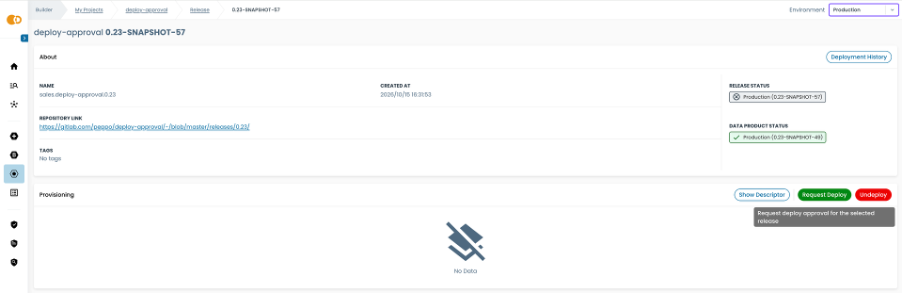
Once the workflow is configured, a developer requests deployment rather than deploying directly to the protected target environment.
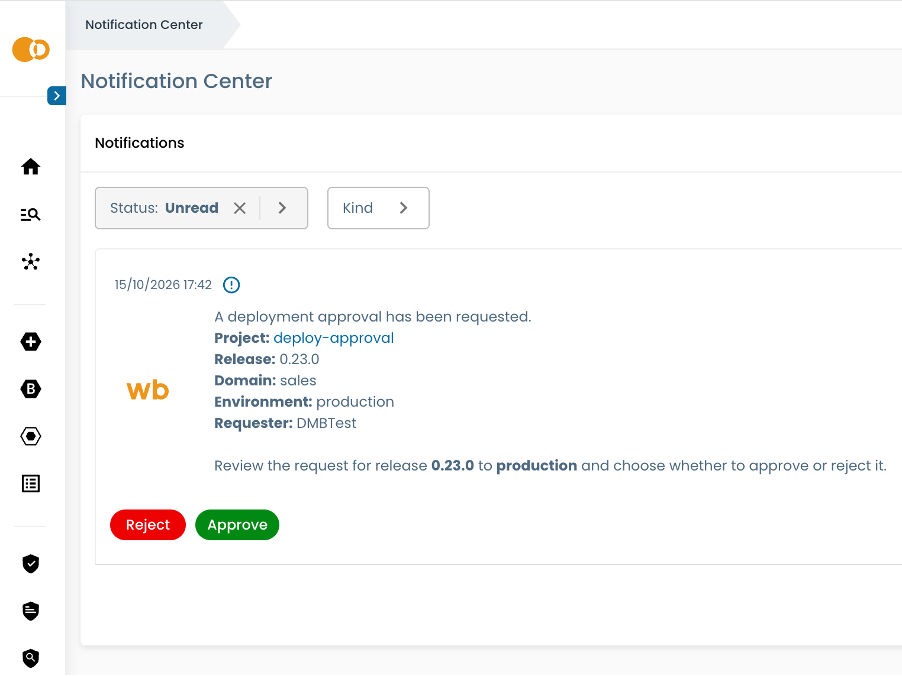
The designated approver receives a notification about the deployment request. Business stakeholders review the relevant Data Product details and approve the deployment request through a simplified Witboost interface. They can participate in the release process without working through Git merge requests. After the required approvals are complete, the developer can proceed with deployment.
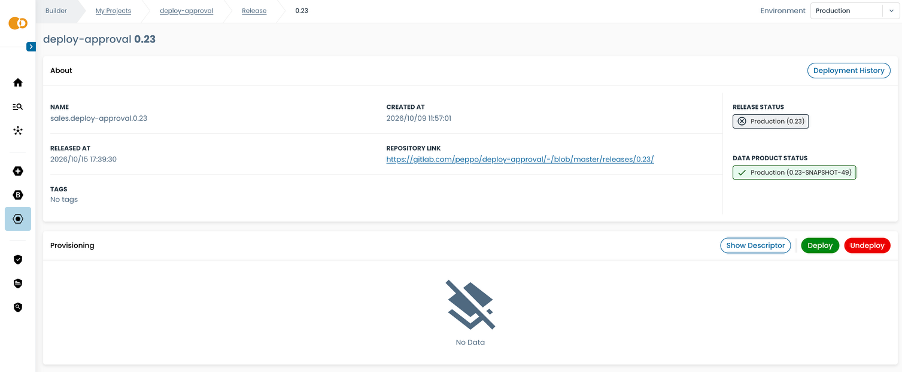
Approval Authorizes the Deployment. It Is Not the Deployment Itself.
Example: A Sales Metric Changes Before Month-End
A Sales Performance data product supplies a dashboard used by regional sales managers. Version 1.4 changes the calculation of net sales so that a refund is attributed to the month in which it was issued, rather than the month of the original order.
An order worth €1,000 was placed in March and fully refunded in April. Under the old calculation, March’s net sales were reduced by €1,000. Under the new calculation, the reduction appears in April.
Both calculations can be implemented correctly. They answer different business questions.
The engineering team tests the transformation and verifies that the resulting figures follow the new rule. Before production deployment, the Data Product Owner checks that the rule matches the agreed reporting definition and that dashboard users understand the change.
For this scenario, the acceptance criteria are specific:
- The March order and April refund appear in the periods required by the agreed definition.
- The metric documentation explains how refunds are attributed.
- Regional sales managers have been informed that historical monthly comparisons may change.
The configured approval flow is:
Data Product Owner → authorization to deploy to production
If the owner finds that Sales still expects refunds to be attributed to the original order month, the required approval remains outstanding. Passing technical tests does not resolve that disagreement.
How To Do It Right – Make the Approval Be an Actual Approval
Start by choosing a data product in production, where a release can change a business decision. Define who accepts it and what they must check.
“Approve the Sales Performance product” is too vague. “Confirm that refund attribution matches the agreed reporting definition” gives the owner a decision they can actually make.
Use multiple approvers when they have different responsibilities, as in the marketing example. Adding more names without defining their decisions only adds waiting time.
The workflow enforces the required approval. The organization still has to define meaningful acceptance criteria, assign an accountable approver, and give that person access to the evidence needed to decide.